PDFPro: Scanner & Editor
Brief
Transform the way you manage documents with PDFPro: Scanner & Editor, the ultimate mobile solution for viewing, scanning, editing, annotating, and organizing your PDF files directly from your Android device. This all-in-one tool is designed for users ranging from students and teachers to business professionals and freelancers, providing complete control over your documents with a user-friendly interface and powerful features for increased productivity.
📌 Core Features
- View PDF Files: Quickly open and navigate any PDF file with smooth scrolling, zoom functionality, and dark mode for a comfortable reading experience. 📄
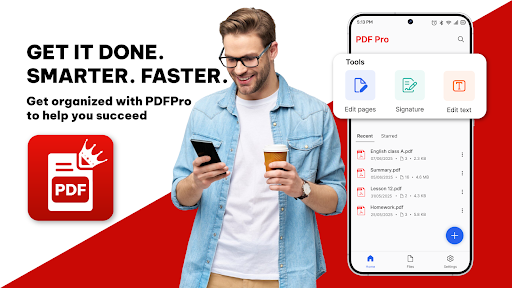
- Edit Text & Images: Seamlessly edit existing text and images within your PDFs, just like you would on a desktop. ✏️
- Add Annotations: Highlight, underline, draw, or insert comments to enhance collaboration and document reviews. 🖍️
- Sign Documents Instantly: Effortlessly add your digital signature without the need for printing or scanning, promoting a fully paperless workflow. ✒️
- Scan Files to PDF: Utilize your phone’s camera to scan documents, notes, receipts, or IDs with auto-cropping and image enhancement for high-quality results. 📷
👍 Pros
- All essential PDF tools consolidated in a single app for convenience. ✅
- Eliminates the need for cumbersome desktop software. ✅
- Provides a clean, fast, and user-friendly interface. ✅
- Functions offline, ensuring accessibility anytime, anywhere. ✅
- Saves time and boosts productivity through efficient workflows. ✅
👎 Cons
- Some advanced features may require in-app purchases. ❌
- Performance can vary based on device specifications. ❌
- Occasional bugs reported by users in specific versions. ❌
- Interface may take time to learn for new users. ❌
💵 Price
PDFPro: Scanner & Editor is available for free with optional in-app purchases for additional features.